 SAME DAY & EXPEDITED SHIPPING AVAILABLE






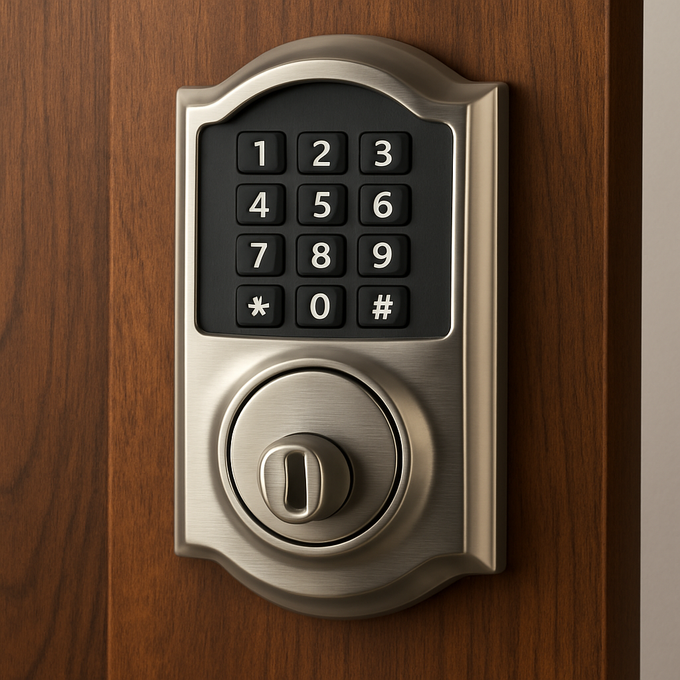
How to Reset a Schlage Keypad Lock and Change Codes by Model
Posted by National Lock Supply on Oct 9th 2025
To factory reset a Schlage keypad lever or deadbolt (FE595, FE575, BE365), disconnect the battery, press and release the Schlage button, then within 10 seconds reconnect the battery and press and hold the Schlage button until it lights green and the lock beeps. This restores the default codes printed on the stickers, so locate them first. To change a code without resetting, enter the six-digit programming code and follow the add, delete, or change steps below.
How do you factory reset a Schlage keypad lock?
On Schlage keypad models FE595, FE575, and BE365, a factory reset restores the default programming code and default user codes and erases everything else. Schlage warns that customer service cannot retrieve lost default codes, so do not start until you can read the stickers on the back of the keypad assembly or on the front of the user guide.
FE595, FE575, and BE365 keypad locks
- Locate the default programming code and default user codes on the stickers. Do not continue without them.
- Disconnect the battery.
- Press and release the Schlage button on the keypad.
- Within 10 seconds, reconnect the battery. The Schlage button lights green for one second.
- Immediately press and hold the Schlage button until it lights green and the lock beeps.
- Test with one of the default user codes. If the lock does not unlock, repeat from step 3.
Schlage's support article describes pressing the Schlage button two to three times in step 3. The printed user guide for the BE365, FE575, and FE595 shows a single press. If one does not work, try the other, always keeping the 10-second window. After the reset, change the programming code right away (see below).
Is there a reset hole or a 10 to 20 second reset button on Schlage keypads?
Not on the BE365, FE575, or FE595. Schlage's published reset procedure for these locks is the battery-disconnect and Schlage-button sequence above, with no reset hole and no 10 to 20 second hold. The Schlage Encode (BE489, BE499, FE789) is different: it has a physical reset button on the inside assembly.
How do you reset a Schlage keypad lock without the programming code?
If you only lost the programming code, run the factory reset above: it restores the default programming code from the sticker. If you also lost the stickers, there is no recovery path from Schlage's side. Check the box, the original user guide, or the interior of the lock assembly. If the default codes are gone, check the model's programming guide or contact Schlage support before attempting a reset.
How do you change a Schlage lock code on a BE365, FE575, or FE595?
Enter the six-digit programming code, press the Schlage button, then press 1 to add a user code or 2 to delete one. The same lock manages up to 19 four-digit user codes. Wait for three orange lights and three beeps between steps, and for one green light and a long beep at the end.
Add a user code
- Enter the six-digit programming code. Wait for three orange lights and three beeps.
- Press the Schlage button. The keypad turns blue.
- Press 1. Wait for three orange lights and three beeps.
- Enter the new four-digit user code, then enter the same code again.
- One green light and a long beep confirms success.
The new user code must differ from the first four digits of the programming code.
Delete one user code
- Enter the programming code and press the Schlage button.
- Press 2.
- Enter the four-digit code to remove, then enter it a second time.
- One green light and a long beep confirms deletion.
Delete all user codes
- Enter the programming code and press the Schlage button.
- Press 6, then re-enter the programming code to confirm.
- One green light and a long beep confirms all user codes are gone.
Change the programming code
- Enter the current programming code and press the Schlage button twice.
- Enter the new six-digit programming code, then enter it again.
- One green light and a long beep confirms the change.
The first four digits of the new programming code must differ from every user code stored in the lock. If you make a mistake mid-sequence, press the Schlage button repeatedly until the keypad turns blue, then start over.
How do you reset or change codes on a Schlage touchscreen deadbolt (BE469)?
Touchscreen Schlage Connect locks (BE469, BE468) use a different factory reset: disconnect the batteries, press and hold the Schlage logo on the touchscreen, and reconnect the batteries while holding it. The green check flashes three times and the inside Schlage button flashes three times when the reset is done. This deletes all codes and restores the factory codes. It does not unenroll the lock from a Z-Wave network.
For manual code changes on Connect touchscreen models, user codes are 4 to 8 digits and the programming code is six digits:
- Add a code: press the Schlage icon, enter the programming code, press 1, enter the new user code, enter it again, then press the Schlage icon to exit.
- Delete a code: press the Schlage icon, enter the programming code, press 2, enter the code to delete, enter it again, then press the Schlage icon to exit.
- Change the programming code: press the Schlage icon, enter the current programming code, press 3, enter the new programming code twice. Two blinks and two beeps confirm.
How do you reset a Schlage Encode or Sense smart lock?
On the Schlage Encode (BE489, BE499, FE789), remove the battery cover and press and hold the black circle reset button to the right of the thumb-turn on the inside until the LED stops flashing red, which can take up to 10 seconds. The LED turns solid blue when the reset is complete. All codes and virtual keys are removed. The default programming and access codes are on the back of the Quick Start Guide or on the label next to the reset button.
For code changes on the Encode, use the Schlage Home app. Manual programming (house button to add, lock button to delete) works only if the lock has never been programmed through the app. After app setup it is disabled, and linking a manually programmed lock to the app deletes the manually programmed codes and programming code. For the Schlage Sense and Sense Pro, follow Schlage's model-specific reset articles linked below rather than guessing at the sequence.
Which reset applies to which Schlage model?
| Model family | Factory reset method | Add or delete codes |
|---|---|---|
| FE595, FE575, BE365 keypad | Disconnect battery, press Schlage button, reconnect within 10 seconds, hold Schlage button until green and beep | Programming code, Schlage button, then 1 (add) or 2 (delete); 4-digit user codes |
| BE469, BE468 Connect touchscreen | Disconnect batteries, hold Schlage logo while reconnecting | Schlage icon, programming code, then 1 (add) or 2 (delete); 4-8 digit user codes |
| BE489, BE499, FE789 Encode | Hold the black reset button inside until the LED stops flashing red | Schlage Home app; manual programming only if never app-programmed |
| Sense, Sense Pro | See Schlage's model-specific article | See the model's guide |
| CO-100, CO-200 commercial | See the CO-series user guide | See the CO-series user guide |
What about commercial Schlage CO-series keypads?
CO-series offline locks (CO-100 keypad, CO-200) use master and programming credentials and their own command set, not the residential Schlage-button sequence above. Do not apply the FE595 steps to them. Follow the CO-100 and CO-200 user guides on commercial.schlage.com for restoring defaults and managing user codes. For facilities that need keypad hardware, see our keypad and proximity locks.
Why is the lock blinking red or not accepting codes?
Schlage's guide for the BE365, FE575, and FE595 lists these causes:
- Two red flashes: the user code entered is not valid, or in programming the second entry did not match the first.
- One low red flash: vacation mode is enabled, or too many incorrect codes were entered. Wait 30 seconds and try again.
- Blinking red with no code entered: the battery is critically low or dead and must be replaced.
- Cannot add or change a code: a new user code cannot match the first four digits of the programming code, and a new programming code cannot match the first four digits of any stored user code.
Replace batteries before any reset. A weak battery is the most common reason a keypad ignores input.
Common mistakes
- Starting a factory reset without the default codes. They cannot be retrieved afterward.
- Running the keypad lever sequence on a touchscreen, Encode, or CO-series lock. Each family has its own procedure.
- Waiting longer than 10 seconds between pressing the Schlage button and reconnecting the battery.
- Choosing a user code that matches the first four digits of the programming code.
- Resetting a Connect or Encode lock and expecting it to leave the network. Z-Wave and app links are separate from the code reset.
Frequently asked questions
Where is the reset button on a Schlage keypad lock?
Keypad models BE365, FE575, and FE595 have no reset button. The reset is done by disconnecting and reconnecting the battery while using the Schlage button. The Schlage Encode has a black reset button inside, next to the thumb-turn.
Can I reset an FE595 without the programming code?
Yes, a factory reset restores the default programming code, but you need the default codes from the stickers. Schlage cannot retrieve them for you.
How do I change the programming code on a Schlage lock?
On BE365, FE575, and FE595, enter the current programming code, press the Schlage button twice, then enter the new six-digit code twice. On Connect touchscreens, use the Schlage icon, programming code, then 3.
How many user codes can a Schlage keypad lock store?
The BE365, FE575, and FE595 store up to 19 four-digit user codes.
Why does my Schlage lock flash red after I enter a code?
Usually the code is wrong, vacation mode is on, or the batteries are low. After too many wrong codes the lock waits 30 seconds before accepting input.
Official sources: Schlage: Factory Reset a Keypad or Touch Lock, Schlage BE365 FE575/FE595 User Guide, and Schlage commercial user guides. Model-specific reset articles: Encode, Sense.
Next step: need replacement keypad hardware, cylinders, or a quantity quote for a facility? Browse Schlage commercial locks and keypad locks, or request pricing at /get-a-quote/ or call 718-814-6300. Orders placed before 3:00 p.m. ET ship the same business day after card approval, and ground shipping is free on orders of $450 and up.