 SAME DAY & EXPEDITED SHIPPING AVAILABLE






How to Choose an Access Control Power Supply
Posted by National Lock Supply on Feb 11th 2026
Access control hardware is only as reliable as the power behind it. A system can have the right lock, the right reader, and the right credentials—and still fail in the field because the power supply is undersized, wired poorly, or missing the basic protection and outputs the opening actually needs. Most “mystery issues” (buzzing, chatter, random releases, intermittent holds) trace back to power.
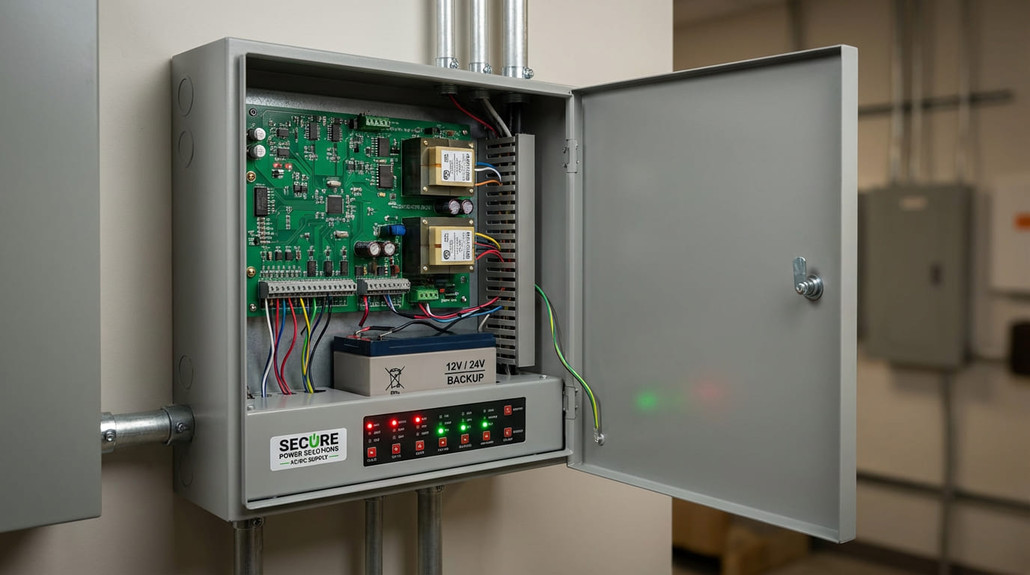
This guide is the practical way to choose a power supply for commercial doors: how to size it, what voltage to use, how battery backup really works, and what to verify before you order. If you’re building or upgrading a system, start by browsing the Access Control Power Supply category to see the common configurations (single vs multi-output, cabinet vs board, monitored vs basic), then use the steps below to spec the right one with confidence.
Start Here: The 60‑Second Pick
If you want the fastest “directionally correct” choice, answer these three questions:
1) How many doors are you powering? (one door vs multi-door) 2) What are you powering? (maglock, electric strike, electrified trim, accessories) 3) Do you need backup power and monitoring? (battery, door release on fire alarm, supervised outputs)
If it’s a single door with one locking device, a single-output supply is often enough. If it’s multiple doors or you need to keep devices separated (so one issue doesn’t affect everything), multi-output / multi-channel options usually make more sense. Either way, don’t spec the supply by “door count” alone—spec it by total load and how the system must behave during power loss.
What a Power Supply Actually Does (Beyond “Providing Power”)
A commercial access control power supply is usually doing more than feeding voltage. Depending on the setup, it may also:
- Provide regulated 12/24VDC output (stable power = stable locking)
- Distribute power across multiple outputs (often with separate protection)
- Add battery backup and charging logic
- Provide monitoring (AC fail / battery fail / output status)
- Interface with release inputs (REX, emergency release, fire alarm relay—where required)
That’s why choosing the right unit is rarely about “amps only.” It’s about outputs, protection, and behavior under real-world conditions.
12V vs 24V: The Practical Rule
Most access control locking hardware runs on 12VDC or 24VDC. Here’s the field-friendly way to decide:
- 24VDC is often preferred when you have longer wire runs or higher-current devices, because it can reduce voltage drop issues for the same power delivery.
- 12VDC is common when the device is designed around it, wire runs are short, or the system was originally built that way.
Don’t overthink it: choose the voltage your locking devices require, then make sure your wire run and current budget support it.
How to Size Current (Amps) Without Guesswork
Sizing is simple when you treat it like a load list.
Step 1: List every powered device on that supply
Typical loads include:
- Locking device (maglock / strike / electrified hardware)
- Readers / keypads (if powered from the same supply)
- REX / push-to-exit devices
- Any relays, timers, indicators, or control modules
If you’re planning on powering request-to-exit and release hardware from the same cabinet, you’ll often be pulling from categories like Push Buttons Egress Devices and those loads should be included in your total.
Step 2: Add the current draw (use the device specs)
Use the manufacturer’s listed current draw for each device.
Step 3: Use this simple sizing rule
- Add all device currents together (in amps).
- Add a safety margin (commonly 20–30% in the field to handle real conditions and future additions).
Why margin matters: voltage drop, startup surges, and “everything happens at once” moments are real. A supply that’s perfect on paper can be unstable on a busy opening.
Outputs: Single vs Multi-Output (And Why It Matters)
Two systems can have the same total load and still need different supplies because of outputs.
- Single-output supplies are straightforward: one regulated output feeding a circuit.
- Multi-output supplies (or multi-channel boards) are often better when you want:
- Cleaner separation between doors - Easier troubleshooting - Better protection per circuit - The ability to add devices without reworking everything
In practice: if you’re powering more than one opening, multi-output often pays for itself the first time you have to troubleshoot a problem.
Battery Backup: What It’s For (and What It Isn’t)
Battery backup is not just a “nice to have.” It’s how you keep a system predictable during outages and brownouts—especially when your locking method requires power to maintain a secure state.
Battery backup planning usually comes down to:
- How long you need the system to operate during power loss
- Which devices must remain active (locks, controllers, or just the release path)
- How the door must behave when power is lost (fail-safe vs fail-secure)
If you’re not sure about code requirements for your opening, treat this as a design constraint and confirm requirements with the AHJ/inspector for that site.
Fail-Safe vs Fail-Secure: The Choice That Drives the System
This is where power supply selection becomes system design.
- Fail-safe devices typically unlock when power is removed.
- Fail-secure devices typically remain locked when power is removed (mechanically secure).
This affects:
- Whether you need backup power to maintain security
- Whether you need a defined emergency release pathway
- How you plan egress and safety requirements
Don’t Forget the “Small Parts” That Prevent Big Problems
Most access systems work better when you include the little components that make behavior predictable—timers, relays, indicators, request modules, and switches. Those pieces are often sourced from System Accessories, and they’re the difference between a system that “kind of works” and one that behaves consistently under edge cases.
Match the Supply to the Locking Method
Power supplies don’t exist in a vacuum. Different locking methods stress power differently.
If you’re powering maglocks
Maglocks can draw steady current continuously, and they’re sensitive to clean, stable power. If you’re also planning brackets and armature-related hardware, it helps to think in systems—many installs involve parts sourced from Maglock Parts/Accessories to ensure the door closes and bonds correctly.
If you’re powering electric strikes
Strikes often have distinct current draw profiles and may require accessories for mounting, spacers, or service parts over time. Planning for maintainability is easier when you know where those components live—like Electric Strike Parts and Accessories.
Common Mistakes That Cause Failures (and Returns)
Undersizing amps It may “work” at install and fail under real use—especially when multiple devices trigger at once.
Ignoring voltage drop Long runs + high load = unstable behavior. This is one of the most common causes of buzzing/chatter.
Choosing the wrong output structure A single-output approach on multi-door systems can turn one issue into a whole-system outage.
Skipping accessories that stabilize behavior Relays, timers, and proper signaling aren’t optional in many real deployments.
Quick Spec Checklist (Copy/Paste)
- Number of openings powered
- Lock type(s): maglock / strike / electrified hardware
- Voltage required: 12VDC or 24VDC
- Total current draw + margin
- Output count needed (single vs multi-output)
- Backup required (yes/no) + runtime target
- Monitoring requirements (AC fail / battery fail / output status)
- Release inputs required (REX, emergency release, other)
FAQs
How many amps do I need for one door?
Enough to cover the locking device plus any powered accessories on the same supply—then add margin. The “one door” label doesn’t guarantee the load is small.
Is 24V always better than 12V?
Not always. Use the voltage your devices require. 24V is often helpful for longer runs and stability, but compatibility comes first.
Do I need battery backup?
If system behavior during power loss matters (security, safety, predictable release), backup is usually worth it. Requirements vary by application and local code interpretation.
Why does my lock buzz or chatter?
Often voltage drop, unstable power, wiring issues, or a supply operating near its limit.
Why Buy Access Control Power Supplies at National Lock Supply
When you’re choosing a power supply, the expensive mistake isn’t the wrong box—it’s the downtime and service calls when the system behaves inconsistently under real conditions. National Lock Supply makes it easier to build a correct, complete system by organizing the key categories you typically need together: Access Control Power Supply for the core cabinet and outputs, Push Buttons Egress Devices for release signaling, System Accessories for the relays/timers that stabilize behavior, plus supporting categories for common locking methods like Maglock Parts/Accessories and Electric Strike Parts and Accessories. That category-first workflow matches how pros spec systems: define the opening, size the load, choose outputs and backup, then add the supporting components that prevent callbacks.